


LAKIWIN App: Download, Install & Access Safely
The LAKIWIN App provides a mobile access option associated with LAKIWIN — a Philippine online gaming brand listed in PAGCOR documentation under RAC Phil Corp. Verify download options, account features, and security requirements before accessing the platform.
The LAKIWIN App provides a mobile access option associated with LAKIWIN, a Philippine online gaming brand offering electronic casino entertainment. Understanding its download options, account features, and security requirements is important before accessing the platform.
LAKIWIN is listed in Philippine Amusement and Gaming Corporation (PAGCOR) documentation under RAC Phil Corp., with lakiwinphl1.org identified as an associated website. However, the current availability of a standalone Android or iOS application should be verified through official sources.
This guide covers everything users need to know about the LAKIWIN App, including Android APK downloads, iPhone access, registration, login, mobile gaming features, troubleshooting, and responsible gaming practices.
What Is the LAKIWIN App?
The LAKIWIN App refers to mobile access associated with LAKIWIN, a Philippine online gaming brand listed in PAGCOR documentation under RAC Phil Corp. Its documented gaming offerings include electronic casino games, bingo, specialty games, and sports betting, although availability may vary across registered platforms.
The platform's mobile access options, account requirements, and security features should be verified through official channels before use.
Understanding LAKIWIN Mobile Access
LAKIWIN users may access supported services through a mobile-compatible website or an official application, if available. Depending on the platform, mobile features may include game navigation, account management, transaction history, and customer support.
LAKIWIN App vs. Mobile Website
Although both options can provide mobile access, they differ in installation, updates, and device requirements.
| Feature | Mobile App | Mobile Website |
|---|---|---|
| Access | Installed application | Mobile browser |
| Installation | Requires an official installer | No installation needed |
| Updates | Through an authorized source | Updated through the website |
| Storage | Uses device storage | Uses browser storage |
| Security | Verify app publisher and permissions | Verify official domain and HTTPS |
Important: The availability of a standalone LAKIWIN application remains subject to official confirmation. Users should verify their access source before entering personal information.
Who Can Access LAKIWIN in the Philippines?
Real-money gaming in the Philippines is restricted to eligible individuals aged 21 and above. Users must also comply with applicable identity verification, residency restrictions, and operator requirements before participating.
Where Can You Find the Official LAKIWIN App Download?
To find a legitimate LAKIWIN App Download, users should start with the brand's documented website. Avoid relying on third-party websites or social media links — familiar logos and branding do not guarantee authenticity.
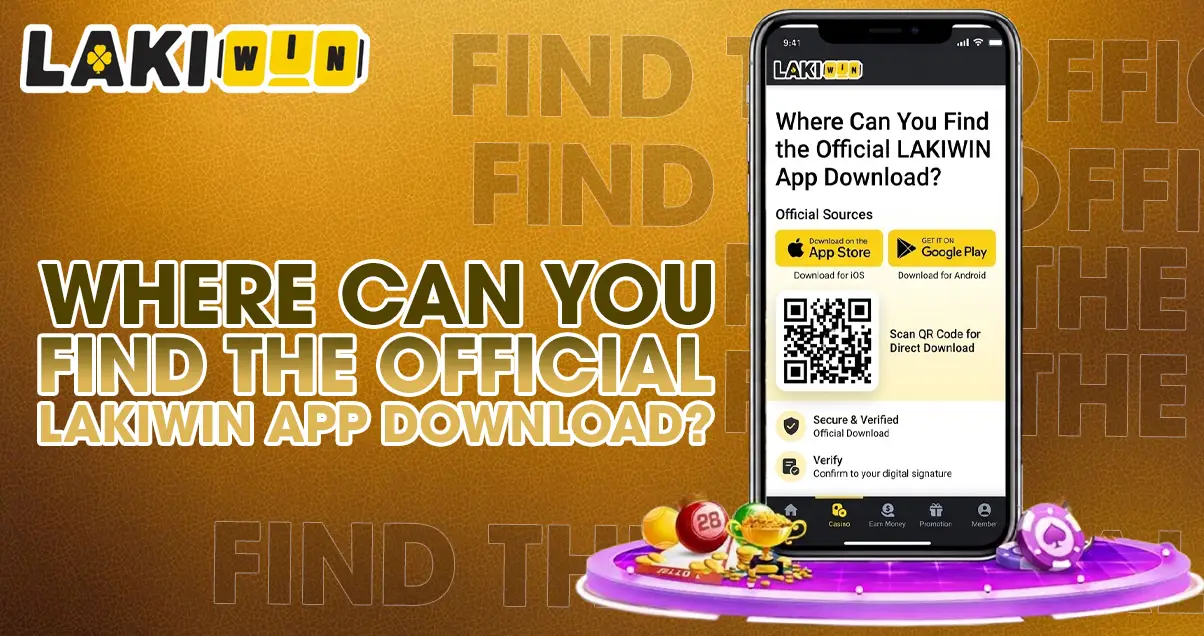
Identifying the Official LAKIWIN Website
PAGCOR documentation identifies lakiwinphl1.org as a registered domain associated with RAC Phil Corp. Before accessing the platform, verify the complete URL and check for suspicious domain variations. An HTTPS connection provides encryption but does not automatically confirm that a website is legitimate.
Checking Available Download Options
Before downloading the LAKIWIN App, users should verify the following details through official sources:
- Device Compatibility: Supported Android or iOS versions.
- Download Source: Official APK, app store listing, or browser access.
- App Publisher: Verified developer or operator information.
- Installation Requirements: Required permissions and storage space.
- Updates: Official application version and update procedures.
Important: A verified standalone LAKIWIN APK or iOS application download has not been confirmed. Users should avoid installing files from unverified sources.
Avoiding Fake LAKIWIN APK Links
Unofficial APK files may contain malware or software designed to steal personal information. Warning signs include unfamiliar developers, unnecessary permission requests, and instructions to disable device security. Always verify apps through the Google Play Store or the official LAKIWIN website.
Security Reminder: Never share passwords, OTPs, or financial PINs through unsolicited messages or unofficial support channels.
LAKIWIN App Download for Android — APK Installation
APK files allow applications to be installed outside Google Play. Users must verify that any LAKIWIN APK comes from an authorized source before installation.
Requirements Before Downloading
Before installing the application, ensure your Android device has sufficient storage, a compatible operating system, updated security protection, and a stable internet connection. Avoid downloading APK files onto compromised or unsupported devices.
How to Download the LAKIWIN App on Android
Visit the Website
Open the verified LAKIWIN website using a trusted browser.
Find the Download Section
Look for an official Android app or APK download option.
Verify the File
Check the publisher, application version, and download source.
Download the APK
Save the installer only after confirming its authenticity.
Install the Application
Follow Android's installation instructions without bypassing security warnings.
Open the App
Launch the installed application and confirm it connects to the legitimate LAKIWIN service.
Warning: If no verified Android installer is available, avoid downloading APK files from unrelated websites.
Understanding Android Installation Permissions
Android may require users to authorize installations from sources outside recognized app stores. Only grant this permission when the installer is verified and the device reports no security concerns. After installation, disable the permission to install unknown apps to reduce future security risks.
How to Check Whether Installation Was Successful
After installing the LAKIWIN App, check its information under Android settings, including permissions and publisher details where available. An app icon alone does not confirm authenticity. If the application requests unusual permissions, redirects to suspicious websites, or asks for sensitive credentials, stop using it and contact verified official support.
LAKIWIN App for iPhone — iOS Access Explained
iPhone users may access LAKIWIN through an official iOS application, if available, or a supported mobile website. iOS cannot install APK files.
Is LAKIWIN Available on the Apple Store?
An official LAKIWIN iOS application has not been independently confirmed on the Apple App Store. Before downloading any similarly named app, verify its developer, compatibility, and connection to the official LAKIWIN platform.
How to Access LAKIWIN Through Safari
Open Safari
Launch Safari on your iPhone.
Visit the Website
Go to the verified LAKIWIN website.
Confirm the URL
Ensure the website address is correct.
Navigate Features
Access the available mobile features or account options.
Website functionality may depend on device compatibility, account eligibility, and platform availability.
Adding a Website Shortcut to the iPhone Home Screen
For easier access, open the LAKIWIN website in Safari, tap the Share button, and select Add to Home Screen. This creates a browser shortcut rather than installing a standalone LAKIWIN App.
LAKIWIN App Features — What Should Users Expect?
The LAKIWIN App experience may include mobile gaming, account management, transaction monitoring, and customer support.
Available Game Categories on LAKIWIN
| Gaming Category | Description |
|---|---|
| Electronic Casino | Digital casino games, potentially including slots |
| Electronic Bingo | Bingo games with digital interfaces |
| Specialty Games | Gaming formats with individual rules and features |
| Sports Betting | Wagering markets for sporting events |
Game availability may differ between registered platforms. Each title may also have specific rules, wagering requirements, and payout conditions.
How to Register and Log In Through the App
The LAKIWIN App may allow eligible users to register, access existing accounts, and manage their profiles through supported mobile channels.
Creating a LAKIWIN Account
If mobile registration is available, the process generally involves:
- Visit the Official Platform: Open the verified website or an authenticated application.
- Select Register: Locate the account registration option.
- Enter Required Details: Provide accurate personal and contact information.
- Create Login Credentials: Set a secure password if required.
- Complete Verification: Follow the platform's identity and eligibility requirements.
For a detailed walkthrough, see the full LAKIWIN Register guide. Applicants must be 21 years old or above and comply with applicable registration policies.
Note: Exact steps may vary depending on the current interface.
LAKIWIN App Login for Existing Users
Open the App or Website
Use the verified LAKIWIN App or official website.
Select Login
Locate the Login option.
Enter Credentials
Type your registered account credentials.
Complete Verification
Complete any required security verification.
Access Account
Access your account after successful authentication.
The available login methods, including passwords or OTP verification, depend on the platform's current authentication system.
Password Recovery and Account Verification
If you cannot access your account, use the official password recovery or customer support options. Additional identity verification may be required to restore access. Never share recovery codes, OTPs, or passwords through unsolicited messages or unofficial support channels.
Protecting Login Credentials
Use a strong, unique password and avoid saving sensitive credentials on shared devices. Always sign out after using a public or borrowed phone. For additional security, keep your device updated and access the LAKIWIN App only through verified official channels.
Managing Payments and Transactions
Before making financial transactions, verify supported payment methods, account requirements, processing times, and applicable limits.
Finding Available Deposit Methods
Users should check the official LAKIWIN cashier or payment section for available deposit options. Methods such as GCash, Maya, or bank transfers should only be considered supported when confirmed by the platform. Before depositing, review:
- Payment Method: Confirm that the channel is officially supported.
- Deposit Limits: Check minimum and maximum transaction amounts.
- Fees: Review any applicable processing charges.
- Payment Details: Verify the recipient and transaction instructions.
Understanding Withdrawal Procedures
Withdrawal requests may require account verification, an approved payment method, and compliance with the platform's terms. Users should check processing times, withdrawal limits, and any applicable promotional conditions. An account balance does not always represent the amount immediately available for withdrawal.
Checking Transaction Limits and Processing Conditions
Deposit and withdrawal limits may vary depending on the payment method and account status. Always check current requirements through official LAKIWIN channels. If a transaction remains pending, verify its status before submitting another request to avoid possible duplicate payments.
Reviewing Wallet Activity
Transaction history helps users monitor deposits, withdrawals, and account activity. Regularly reviewing these records can help identify discrepancies or unauthorized transactions. For payment concerns, contact verified LAKIWIN support and provide relevant transaction details without sharing passwords, OTPs, or financial PINs.
Is the LAKIWIN App Safe?
Before accessing the LAKIWIN App, verify its regulatory information, official website, and security features.
How to Check Operator and Regulatory Status
According to PAGCOR documentation dated January 29, 2026, LAKIWIN is listed under RAC Phil Corp. (RAC), with lakiwinphl1.org identified as its main registered domain. Users should check the latest regulatory records to confirm the platform's current status and authorized services.
PAGCOR Licensing Verification
To verify LAKIWIN, visit PAGCOR's official website and review:
- Operator: RAC Phil Corp.
- Registered Brand: LAKIWIN
- Official Domain: lakiwinphl1.org
- Regulatory Status: Check the latest applicable records.
Important: Regulatory recognition does not eliminate financial risks or guarantee winnings.
Recognizing Fake LAKIWIN Apps
Fraudulent websites and applications may imitate LAKIWIN branding to collect personal information. Common warning signs include:
- Unverified APK download links.
- Unfamiliar developers or suspicious website addresses.
- Requests for unnecessary device permissions.
- Promises of guaranteed winnings or financial returns.
- Demands for passwords, OTPs, or additional payments to unlock accounts.
Protecting Personal and Financial Information
Use strong passwords, keep your device updated, and review application permissions before accessing gaming accounts. Avoid entering sensitive information on unfamiliar websites or shared devices. Never disclose your password, OTP, or financial PIN to anyone claiming to represent customer support.
LAKIWIN App Not Working?
Technical issues may relate to internet connectivity, device compatibility, installation settings, or account verification.
| Problem | Possible Cause | Recommended Solution |
|---|---|---|
| LAKIWIN APK not downloading | Insufficient storage or unstable internet | Check device storage, connection, and official download source |
| Installation blocked | Android security restrictions or incompatible APK | Verify the installer and review security warnings |
| App not opening or loading | Network issues, outdated software, or server maintenance | Restart the device, check updates, or review official service notices |
| LAKIWIN App login failed | Incorrect credentials or account restrictions | Verify login details or use official account recovery |
| Verification code not received | Network delays or outdated contact information | Check registered details and request another code if supported |
| App crashing or freezing | Insufficient memory or software compatibility issues | Restart the device and check for authorized updates |
| Transaction pending | Payment processing or account verification requirements | Review transaction history and contact verified support |
What If the App Still Doesn't Work?
If troubleshooting does not resolve the issue, contact LAKIWIN's verified customer support through its official website. Provide your device model, a brief description of the problem, and any relevant error messages. Avoid downloading modified APK files or sharing passwords, OTPs, and financial PINs with unofficial support representatives.
Keeping the App Updated & Moving Devices
How to Check for Official App Updates
- Visit the Official Source: Check the verified website or app store listing.
- Check for Updates: Look for the latest version or official update announcements.
- Verify the Source: Confirm the publisher and authenticity of any updated APK.
- Install the Update: Follow the authorized installation instructions.
Avoid downloading updates through unfamiliar websites or unsolicited messages. Regular updates can fix technical errors, improve compatibility, and address security weaknesses.
Moving Your LAKIWIN Account to a New Phone
When switching devices, ensure you can access your registered contact information and account recovery methods. Use only official login procedures and authenticated application sources. Before disposing of your old device, sign out of your account and remove stored credentials. Never share passwords or verification codes with third-party account transfer services.
Responsible Mobile Gaming
The LAKIWIN App is associated with real-money gaming — outcomes are uncertain and financial losses are possible.
Age Restrictions and Account Verification
Real-money gaming in the Philippines is restricted to eligible individuals aged 21 and above. Users must comply with applicable identity verification, residency restrictions, and operator requirements before participating.
Managing Spending and Screen Time
- Set a Budget: Use only money you can afford to lose.
- Limit Playing Time: Establish session limits and take regular breaks.
- Avoid Chasing Losses: Never increase spending to recover previous losses.
- Protect Essential Funds: Avoid using money intended for bills, savings, or daily expenses.
- Recognize Warning Signs: Stop when gaming begins affecting your finances or well-being.
Understanding Real-Money Gaming Risks
Casino and betting games involve uncertain outcomes, and some include a built-in house advantage. Winning streaks, previous results, or betting strategies cannot guarantee future winnings. Even when an operator is regulated, financial losses remain possible. Gambling should never be considered a reliable source of income.
Where to Find Responsible Gaming Assistance
Users experiencing difficulty controlling their gaming activity should consider taking a break or seeking professional support. Where available, responsible gaming tools such as deposit limits, cooling-off periods, and self-exclusion can help restrict participation. For additional guidance, visit PAGCOR's official website or consult qualified gambling support services.
Frequently Asked Questions
What is the LAKIWIN App?
The LAKIWIN App refers to mobile access associated with LAKIWIN, a Philippine online gaming brand listed in PAGCOR documentation under RAC Phil Corp.
Is there an official LAKIWIN APK?
A verified standalone LAKIWIN APK or iOS application download has not been confirmed. Users should verify download options through official sources only.
Can I use the mobile website instead of the app?
Yes. The LAKIWIN mobile website provides similar access without installation. Verify the official domain and HTTPS connection before signing in.
How do I access LAKIWIN on iPhone?
Open the verified website in Safari. You can also add a Home Screen shortcut via the Share menu — this creates a browser shortcut, not a standalone app.
Who can access the LAKIWIN App?
Real-money gaming in the Philippines is restricted to eligible individuals aged 21 and above who complete applicable identity verification.
Is the LAKIWIN App safe?
LAKIWIN is listed in PAGCOR documentation under RAC Phil Corp. Users should always verify the official website and avoid unofficial APK files or suspicious download links.
Final Thoughts
The LAKIWIN App provides a topic for understanding mobile access to LAKIWIN's online gaming services through Android and iPhone devices. Whether using an official application or mobile website, users should verify available download options, account requirements, security features, and compatibility before accessing the platform.
Understanding LAKIWIN App Download procedures, login methods, transaction management, and troubleshooting can help users make informed decisions. Always prioritize official sources, protect personal information, and follow applicable eligibility requirements. Since real-money gaming involves financial risks, responsible participation and realistic expectations remain essential.